|
HOME > Tricks > How to configure the force feedback correctly
|
How to configure the force feedback correctly
1 - VERY IMPORTANT
The Force Feedback feature is a paid functionnality in Teknoparrot, this is life. This is a good opportunity to help the team to continue developping Teknoparrot software.
Teknoparrot team is so active that there is updates almost everyday ! MAKE SURE TO INSTALL ALL UPDATES everytime there is, this is a work in progress and it can fix many functionnalities.
DON'T PAID before you are sure that OutRun 2 SP is perfecly running on your PC.
I say it again, i'm not affiliated with Teknoparrot, I'm just a retro gamer very thankfull for those who allow me to play the games of my childhood :)
So, you have to create an account, subscribe for one month and get a serial number you will enter in Teknoparrot.
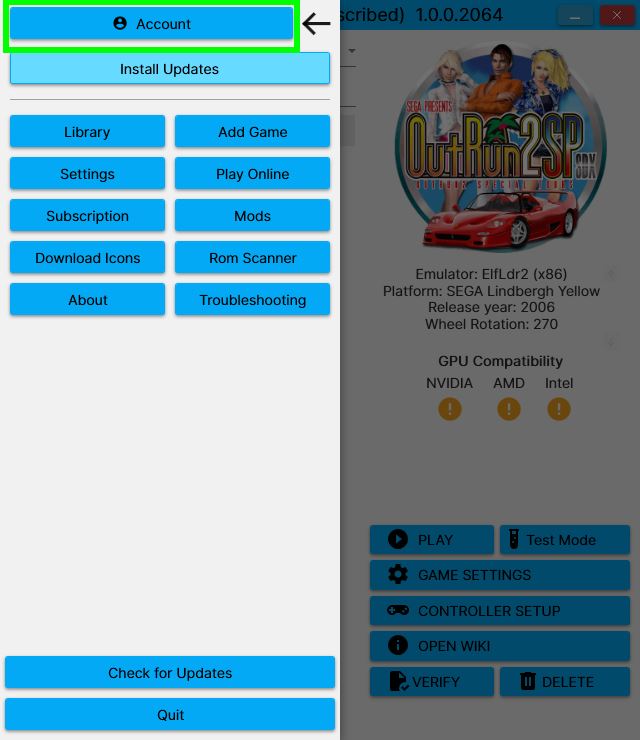
Once it's done, open the GAME SETTINGS of OutRun 2 SP and check the box FFB.
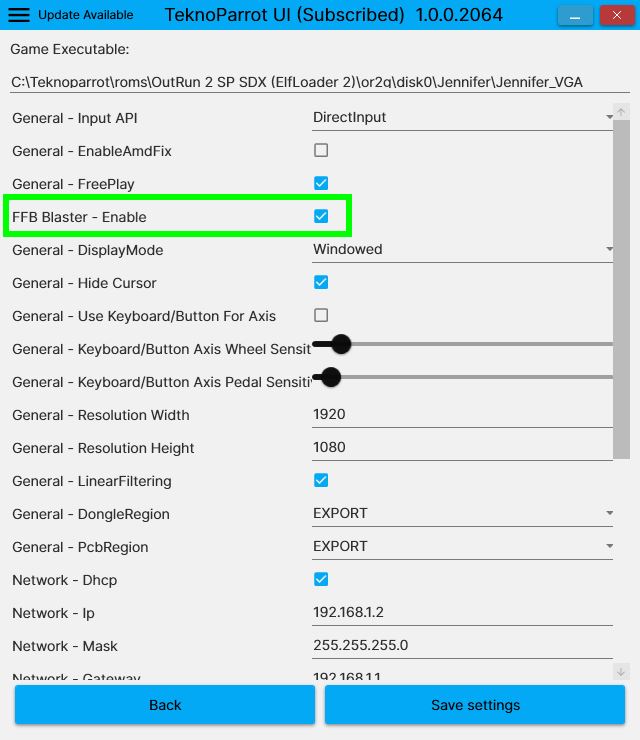
2 - Steering wheel configuration
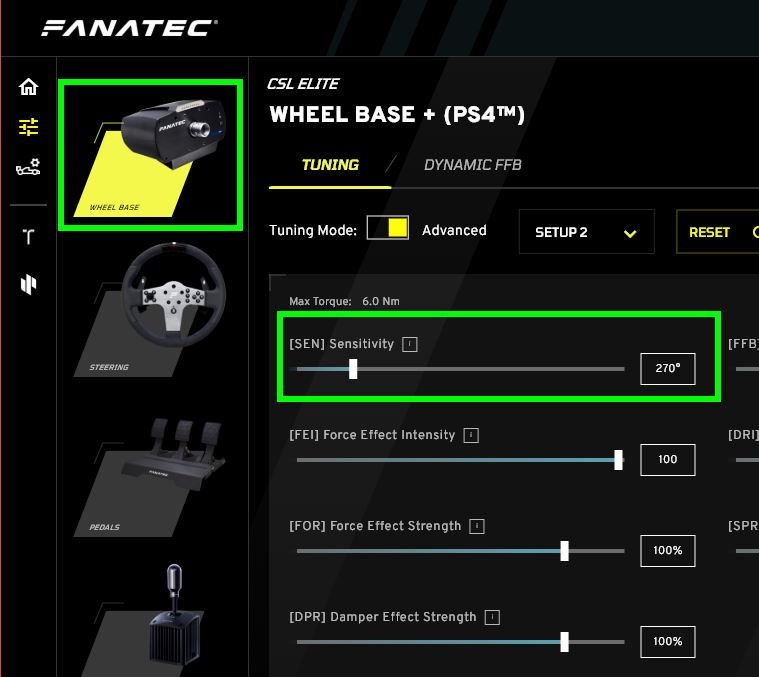
To use correctly your steering wheel on OutRun 2 SP, you HAVE TO set up the sensitivity to 270° which is the arcade setting. This is an arcade game, you don't have time to turn your wheel on 720° each time you have to turn. You need something that has a very quick response and 270° is the correct setup.
Here is the setting for a Fanatec CSL ELITE that I use. Find this option in your steering wheel's software and save it before launching the game.
Open the CONTROLLER SETUP of OutRun 2 SP
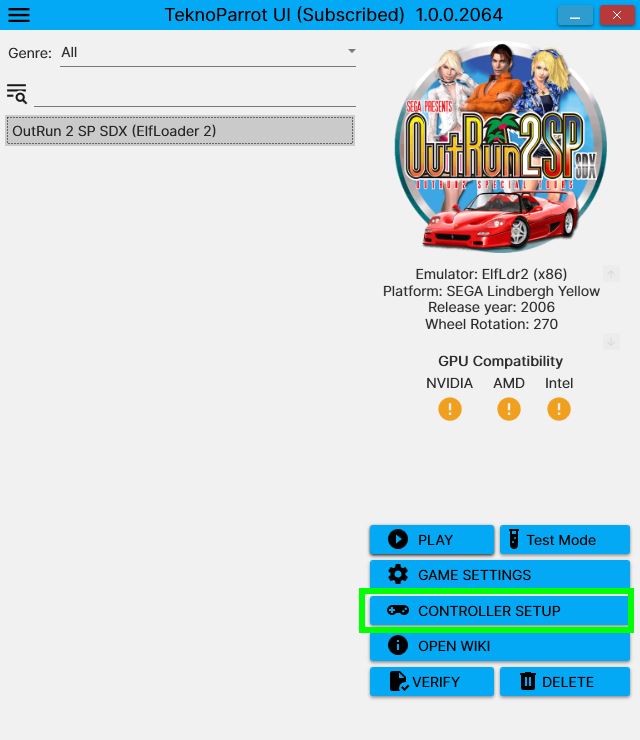
Click on each line you want to configure and move the wheel, press the pedals and steering wheel paddle or gear shift lever ... Here is what I use
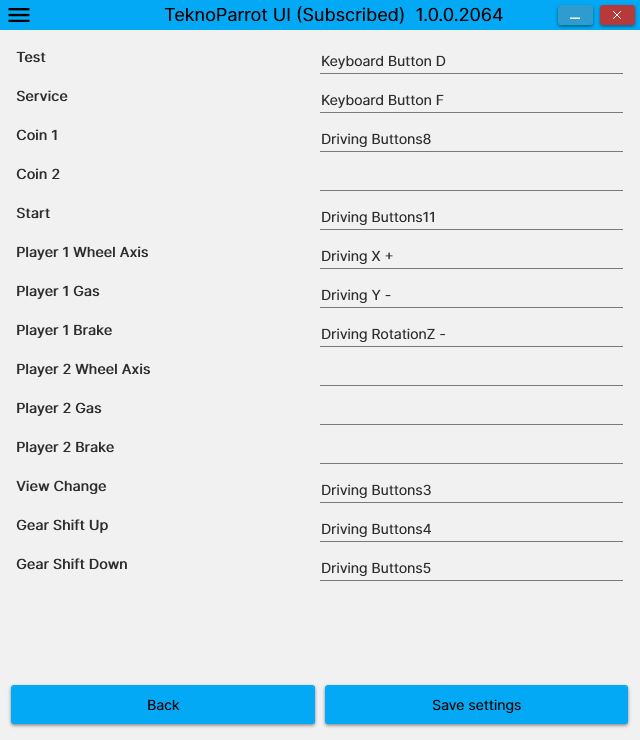
Save the setting and let's try it !
CONGRATULATIONS, your steering wheel is ready to go !
|
|